
Splitting conversations
Sometimes a conversation wanders. A customer who wrote about a refund comes back a week later, in the same thread, to ask about something else entirely. You can split those later messages off into a conversation of their own, so each topic can be assigned, labelled and archived separately.
If the conversation is fine and only its subject is unhelpful, such as "Re: Re: Fwd: help???", you can rename it instead.
Splitting a conversation
Find the first message that belongs to the new topic, open its ⋯ menu and choose Split from here.
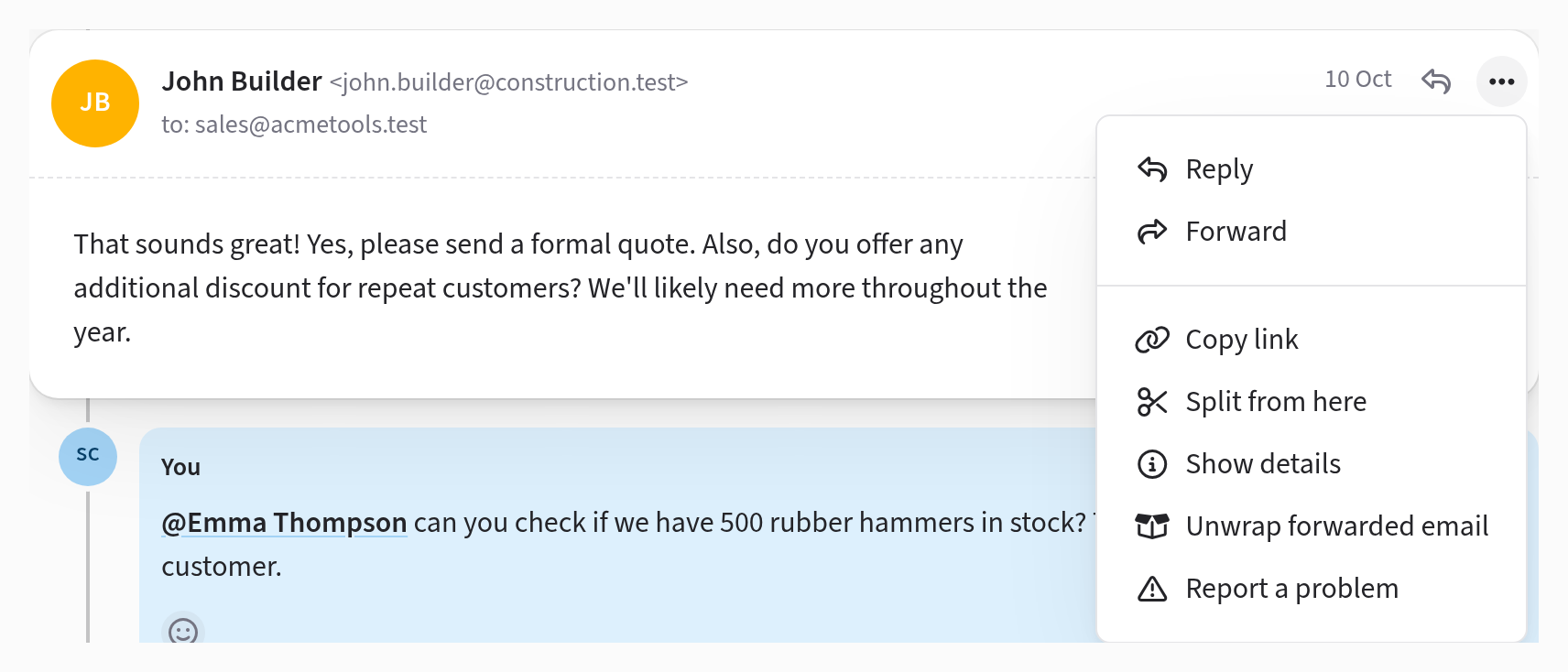
That message and everything after it, including your team's notes, move into a new conversation, and Jelly takes you there. The original keeps everything that came before. The menu doesn't offer Split from here on a conversation's first message.
What the new conversation starts with
The new conversation begins as a copy of the original. It has the same subject, assignees, labels, mailboxes and followers, and it's in the same place: in the inbox, archived, or snoozed until the same time. What each person has read and bookmarked carries over too.
That means it stays with whoever was already handling it, and doesn't turn up in Brand new. From then on the two are separate, so assigning or archiving one leaves the other alone.
Each conversation links to the other at the top: the new one says "split from" and the original says "later split to". The split also appears in the activity of both.
Renaming a conversation
After a split, both halves have the same subject, so you'll usually want to rename the new one. You can rename any conversation, though, whether or not it was split. Click the subject at the top of the conversation, type the new one and press Rename.
The new subject is only for your team. The people you're writing to still see the original subject, so your replies stay in the same thread in their email. Renaming also changes the conversation's web address, but old links keep working.
Where replies go
When the customer replies, Jelly puts the reply with the message they were answering. Most people answer the newest message, so their reply usually lands in the new conversation. If they answer one of the earlier messages, it goes to the original.