
Snoozing
Sometimes you can't do anything with a conversation yet. You're waiting on a supplier, or a release, or for the customer to try what you suggested. Snooze it, and Jelly takes it out of the inbox and brings it back at a time you choose, so you don't have to remember.
Snoozing is shared: a snoozed conversation leaves the inbox for the whole team, not just for you.
Snoozing a conversation
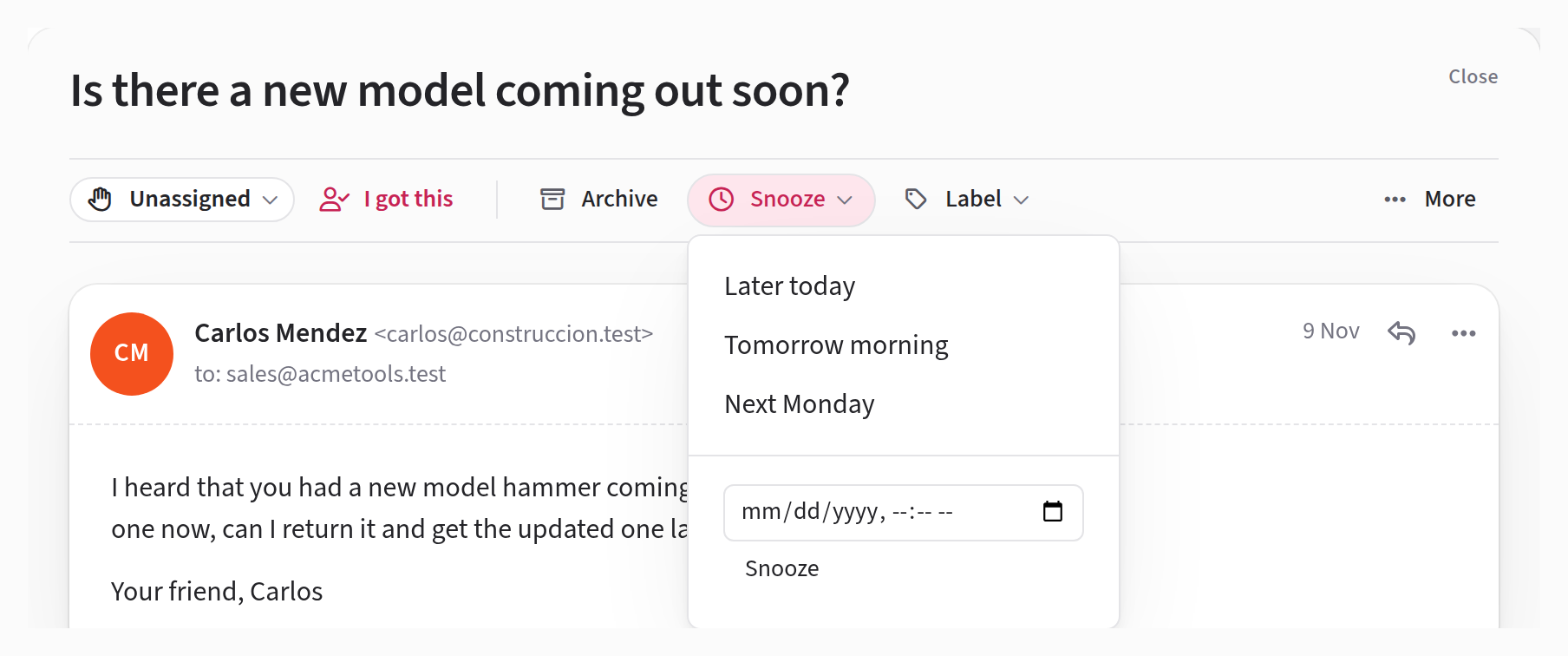
Open the conversation, press Snooze at the top, and choose when it should come back:
- Later today is 6 pm. If 6 pm is less than half an hour away, or has already gone, it's four hours from now instead.
- Tomorrow morning is 9 am tomorrow.
- Next Monday is 9 am on the coming Monday. On a Monday, that means a week from today.
- For any other time, choose a date and time in the field at the bottom of the menu and press Snooze.
Jelly takes you back to the inbox and shows a notice saying Snoozed until that time. If you picked the wrong one, press Undo on the notice.
All of these times are in your own time zone.
You can also snooze without opening the conversation: choose Snooze in the ⋯ menu on its row in the list. On a phone, Snooze is in the More menu at the top of the conversation. Both of these offer the three preset times only.
While it's snoozed
A snoozed conversation is out of everyone's inbox, but it's easy to find: look in Snoozed in the left column, or in All mail.
Whoever was assigned to it stays assigned. To see when it's due back, open it: the top of the conversation says Snoozed until and the time.
When it comes back
A snoozed conversation returns to the inbox when the first of these happens:
- Its time comes. It goes back to the section it was in, marked unread for everyone so the team notices it. Nobody gets a notification.
- The customer writes again. New mail from outside your team brings it back straight away. A few kinds of mail don't count, such as out-of-office replies: they're the same ones that leave an archived conversation alone.
- Somebody wakes it early. Find it in Snoozed and press Wake up now at the top of the conversation, or in the ⋯ menu on its row. It comes back as it was, without being marked unread.
The conversation's activity shows who snoozed it, until when, and when it came back.