
Send later
Sometimes a reply is ready before it's the right moment to send it. Your customer is in another time zone and it's 3 am there. You've written the answer on a Sunday and would rather not suggest the team works weekends. Or the reply should land after something else has happened: a release, a refund clearing, a delivery. Send later holds your finished reply and sends it at the time you choose.
Send later works on replies only. A new message or a forward goes when you press Send.
Scheduling a reply
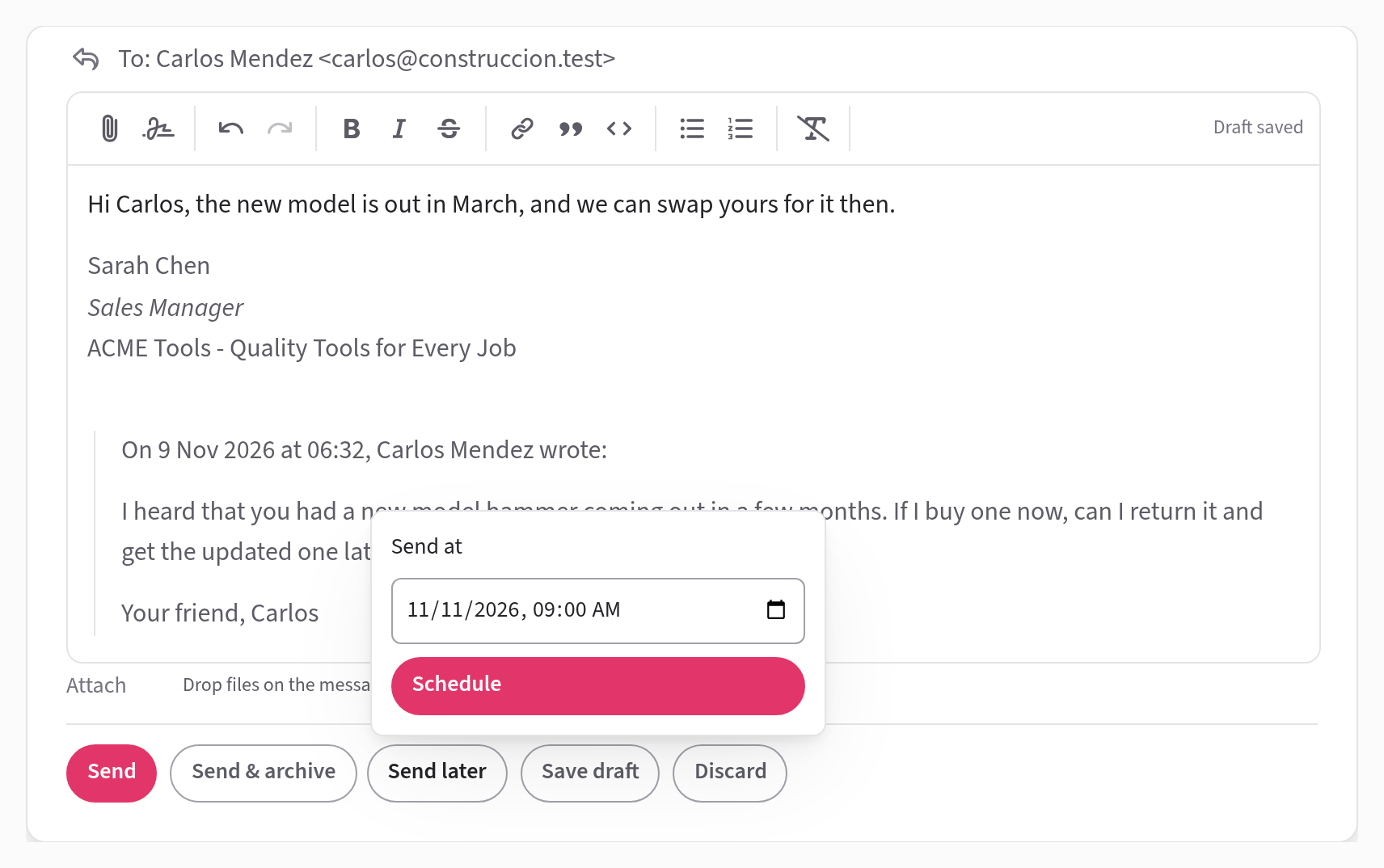
Write your reply, then press Send later, beside Send. In Send at, choose the date and time it should go, and press Schedule. The time is in your own time zone, and starts out at 9:00 tomorrow morning.
The editor closes, and in its place the conversation shows your reply with a line such as "Sends Thu 15 Oct 2026, 09:00 · scheduled by you".
While it waits
While anything is scheduled, the left column has a Scheduled view with a count. It lists every scheduled reply for the whole team, in the order they'll go.
Changing or cancelling a scheduled reply
You can't edit a scheduled reply while it's waiting. To change it, or to stop it going, open the conversation and press Cancel sending, beside the send time.
The reply becomes an ordinary draft again and opens in your editor. From there you can edit it, send it now, send it later at a different time, or discard it.
Anyone on the team who can see the conversation can cancel a scheduled reply, not only the person who scheduled it. If you press Cancel sending just as it's going, Jelly says "Too late — it had already gone".
When it sends
At the chosen time, Jelly sends the reply in the name of the person who scheduled it and assigns them to the conversation, as any reply does. (Scheduling alone doesn't assign anyone.)
If the reply can't be sent, for example because an address is wrong, it becomes a draft again. Whoever scheduled it gets a notification, "Your scheduled reply didn't go out", and the draft says why above its text.
A scheduled reply also stays a draft, unsent, if the person who scheduled it has left the team by then, or if Jelly is paused for your team.