Changelog
What’s new in Jelly
New features and changes to how Jelly works, newest first. Follow along with the feed.
Jelly 🤝 Google: Now open to all!
Now everyone can connect their Jelly account to Gmail. Send email using your existing Gmail account — no DNS setup required — and copies of your Jelly-sent messages will be synced into your underlying Gmail account automatically.

To convert your current sending addresses to a Google connection, head over to Email Setup in Jelly, edit the sending address, and look for the “Convert to Google” box and follow its instructions.
Now in Limited Beta: Connect Your Email to Google
Setting up your shared team email with Jelly requires a few technical steps. You need to both get those emails forwarded into Jelly, and also configure Jelly to be able to send emails out as your shared address (which most often requires fiddling with some fiddly DNS settings).
Well we’re excited to announce that, for shared team addresses hosted with Google, part of that setup will soon be much simpler — as easy as a “Sign in with Google” button click!

Besides simpler setup, another key benefit is that copies of the emails you send from Jelly will automatically be stored in your Google account, so you retain that history. There’s also more benefits behind-the-scenes. For Google customers, this will be our recommended way of setting up your sending addresses.
Note that this is a limited beta at the moment. Let us know if you’re interested in being part of it: https://letterbird.co/jelly
New: Bookmark Conversations
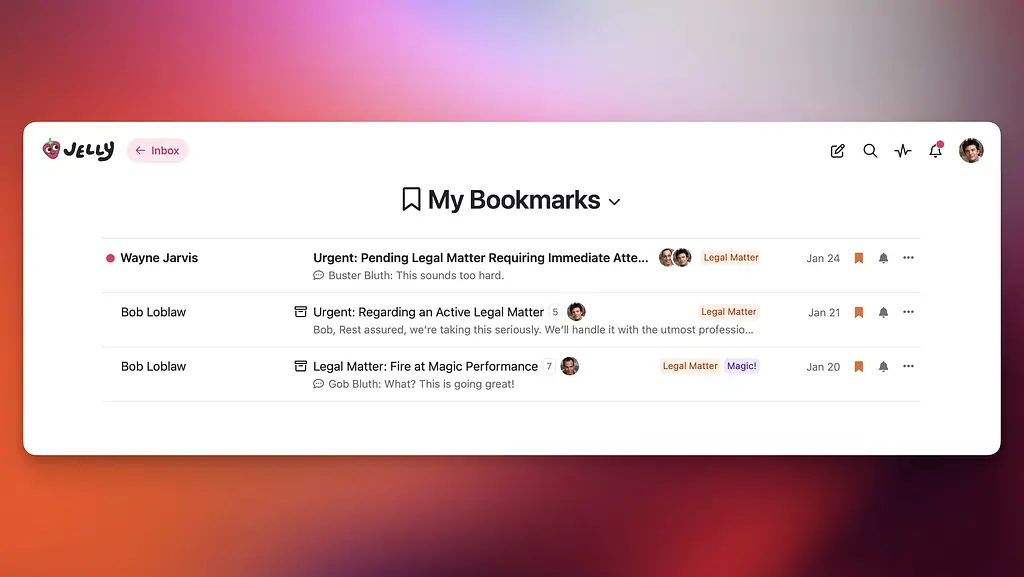
Now you can save a conversation for later by bookmarking it! Maybe you’re holding on to a conversation in your Inbox to reference later, but you also want to clean up your Inbox (i.e. archive ones you don’t need to respond to). Bookmarking lets you easily hold on to any conversation, open or archived.
Bookmarks in Jelly are not shared amongst your team—each of your team members can bookmark whatever conversations are important to them for their own work.
You’ll find a new Bookmark button on the right of a conversation in the Inbox, and in the fixed actions header in a conversation. You can see all your bookmarks at once in the new “My Bookmarks” mailbox:
Improved: Links Now Open In New Tabs
Links in both messages and internal comments now open in a new tab, ensuring you don’t lose your place in a Jelly conversation. It’s a small change that we hope will have you feeling less frustrated when working with longer threads!
New: Blocking Contacts
Is your team receiving email from a list you can’t unsubscribe from? Want to ignore email from someone, without unsubscribing and possibly offending them? Easy: just block them!
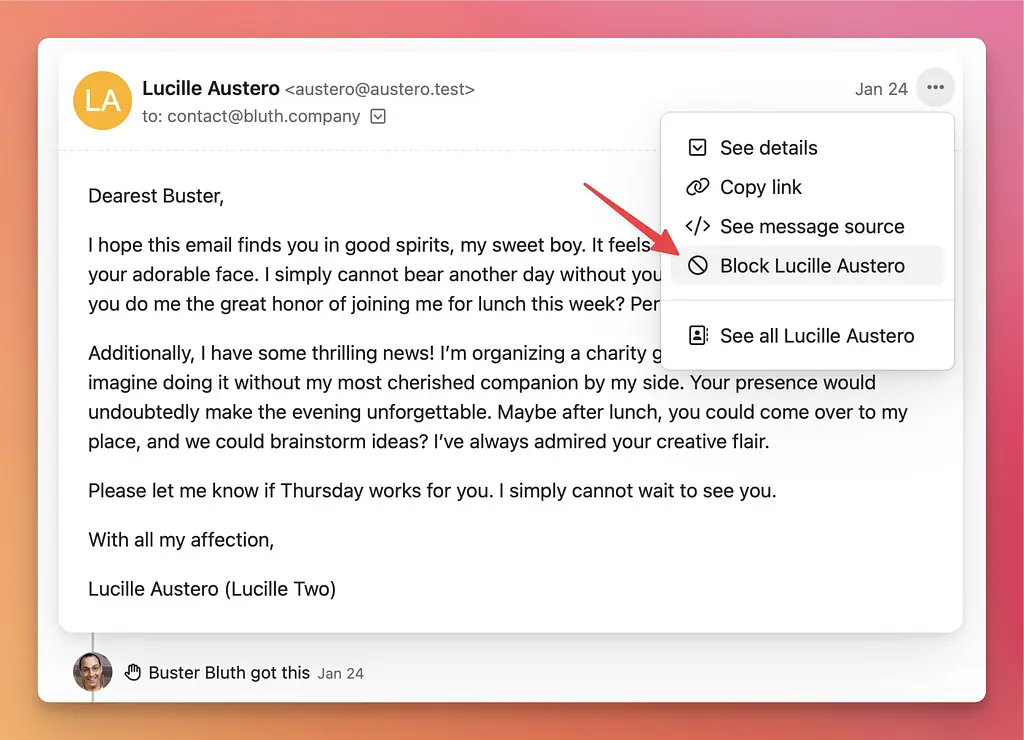
Any further emails you receive from a blocked contact will go straight to Spam.
Improved: Message Readability in Dark Mode
Good Enough prides itself on supporting dark mode in all of our products. If you prefer to use your computers and phones in dark mode, whether for accessibility reasons or otherwise, we’ve got you covered!
With Jelly though, we’ve been missing the mark. Email is an old technology, and to ensure backwards compatibility, many emails are sent with hardcoded styling. That hardcoded styling sometimes conflicted with Jelly’s dark mode support, rendering those messages nigh unreadable.
Today we’ve pushed an update that should force all emails to be readable in dark mode, especially when they otherwise wouldn’t be. If you prefer the benefits of dark mode, you can now rest easy using it with Jelly!
New: Emoji Reactions 🎉
Chatting with your team is just more chaotic fun when you can react with emoji!
🍓💬🚀‼️😄🥳🌊🏄✌️
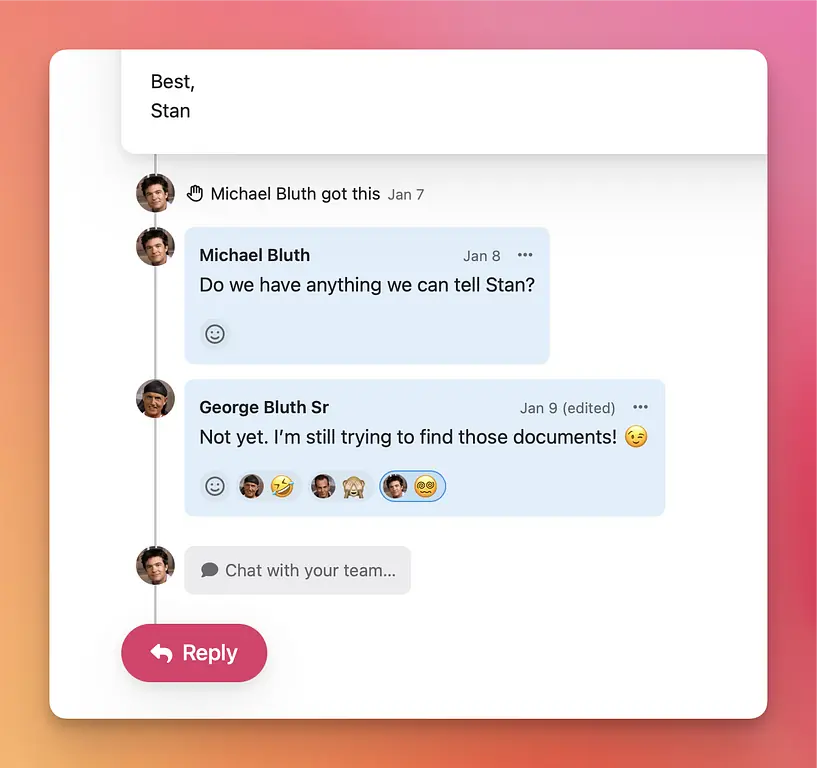
Note that Jelly will not (yet) notify you when one of your comments has been reacted to, but we’re considering that. Have a great reaction-filled week!
New: Personalized Email Replies
While communicating with a shared email through a shared inbox has a lot of amazing benefits for a team (like knowing who-has-what, having private internal discussions, making sure everyone can follow along, all the things Jelly is great at), for some teams a shared inbox can run the risk of their email communication coming across too impersonal. Rather than your client or customer having a 1-on-1 conversation with a real person, they are talking to “Team Name <hello@teamname.com>”.
Well, now in Jelly you can use a shared inbox and send personalized email replies!
Your replies from Jelly will still come from a shared team address, but you can choose to have the From name sent with all your messages to be personalized with the team member’s name that did the replying, or keep it generic — your choice! Simply head to your team Settings, and you’ll see a new From name option:
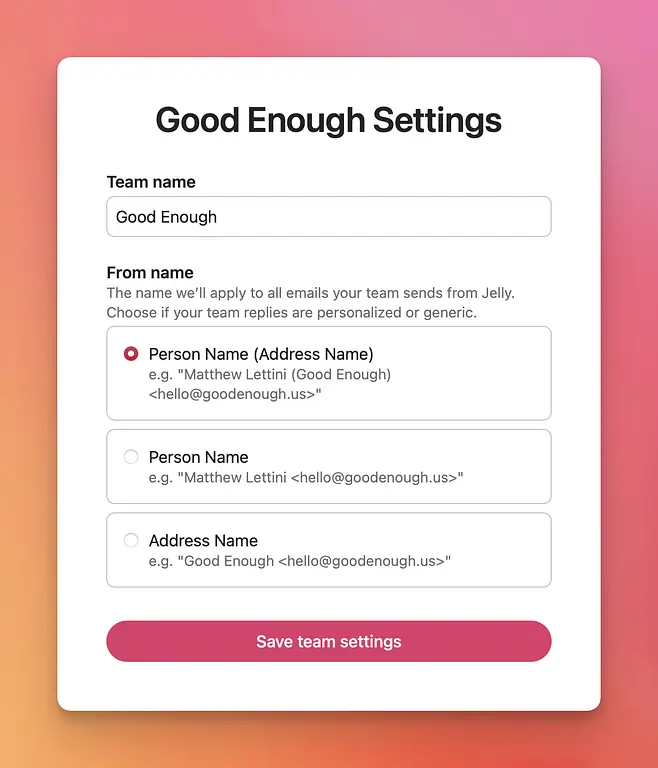
Note: All existing accounts have been set to “Address Name” so that there’s no change in your experience unless you want it. Update to one of the “Person Name” options if you prefer personalized email replies in Jelly.
Combine this with our recent email signature feature, and emailing from Jelly is now a lot more personal. Happy New Year!
New in beta: Discord and Webhooks
We now have beta integration support for Discord and Webhooks!
- Just like our Slack integration, you can be notified of new messages and replies to your shared inbox right in Discord.
- Or if you’d like to build your own integration between Jelly and an app of your choosing using a webhook, now you can.
While both of these integrations are in beta, you’ll need to contact us to get them set up with your account.
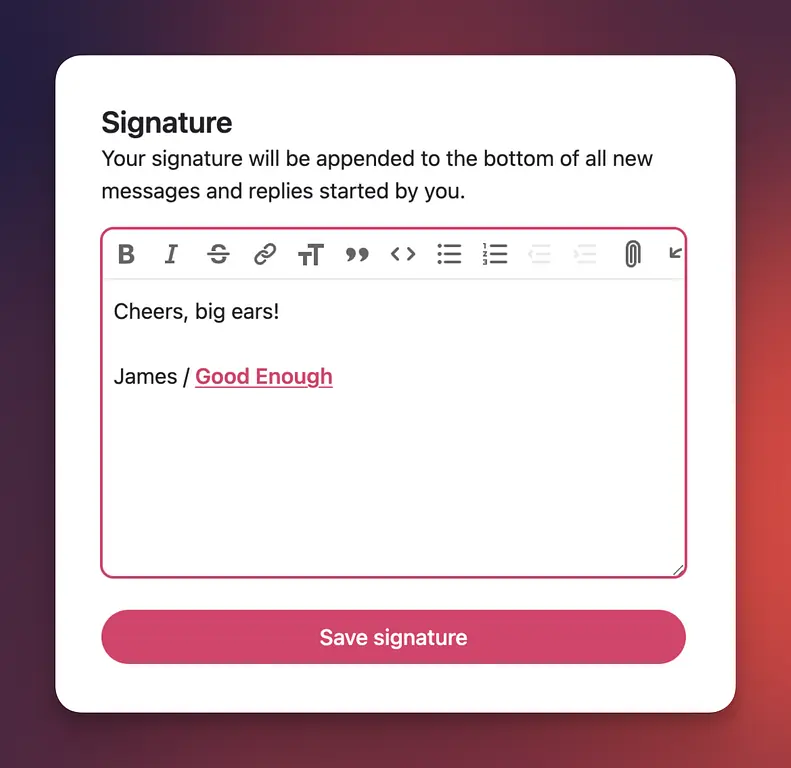
New: Email Signatures
You can now add a signature which will automatically be added to the bottom of every email or reply you compose. You can create your signature from your profile settings.