
Changelog
What’s new in Jelly
New features and changes to how Jelly works, newest first. Follow along with the feed.
Introducing the Jelly Referral Programme
Over the last few weeks, we’ve been steadily shipping improvements to Jelly. And we’re just getting started.
Coming very soon:
- Shared Drafts, making it even easier to collaborate on responses with each other and, soon after, with the other tools you already use.
- Mailboxes, our take on making sure only the right people see certain conversations, without adding complexity or clutter.
Each step makes Jelly more complete and more powerful, without sacrificing the simplicity and ease of use at its core. The aim isn’t to turn it into something bloated. It’s to make shared email feel calm, organised, and genuinely collaborative.
We know Jelly resonates deeply with a certain kind of team. You can see that in our testimonials.
The hardest part of building Jelly hasn’t been the product. It’s helping the right teams discover it.
And that’s where you come in.
Today, we’re launching a referral programme to reward the people who already believe in what we’re building.
If Jelly has made your team’s life easier, we’d love your help spreading the word. When someone you refer becomes a customer, you’ll earn rewards, all the way up to making your own subscription free.
Jelly has always grown best through word of mouth. This is us leaning into that and recognising the superfans who make it possible.
If you’ve already been recommending Jelly, this one’s for you.
You can read more about how referrals work in our help centre.
New: Multiple Teams
Most Jelly accounts have a single team, and that’s all they need.
But if you manage multiple distinct email workflows — say, a support address and a completely separate sales address with entirely different people involved, or some sensitive emails that only some people should be allowed to access — you might benefit from having more than one team.
In those cases, Jelly now lets you create new teams under your existing account and subscription.
Each team is independent — members, conversations, and settings don’t overlap between teams. A person can be a member of more than one team, and they’ll see all their teams when they sign in. As ever, there’s no limit on the number of people in each team.
Your first team is always included in your plan price. Additional teams are charged separately:
- $15/month per additional team on monthly billing
- $150/year per additional team on yearly billing
Read more about multiple teams in our Help Center.
Now in Beta: Conversation Presence
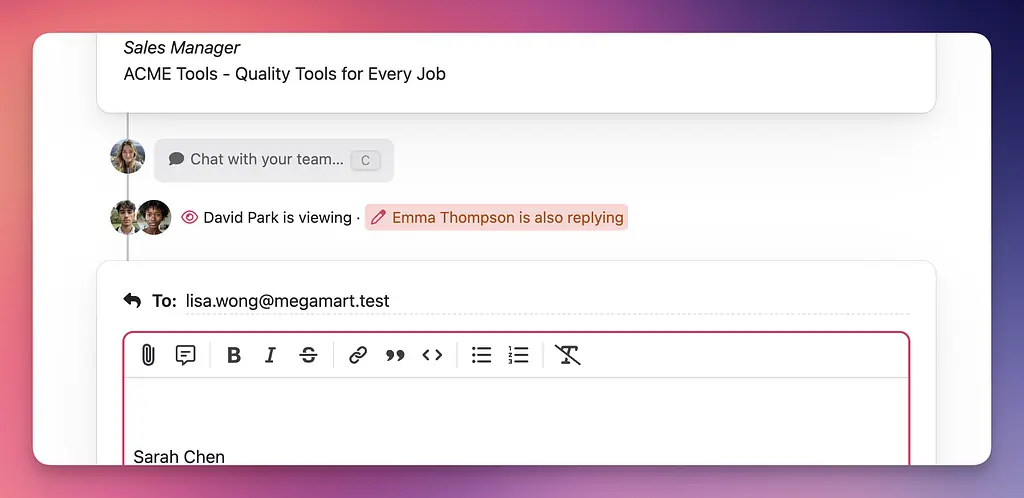
Jelly’s assignment already makes it clear who is responsible for handling a particular conversation, but sometimes it’s useful to know in real time whether or not anyone else in your team is viewing, commenting or even replying to a conversation.
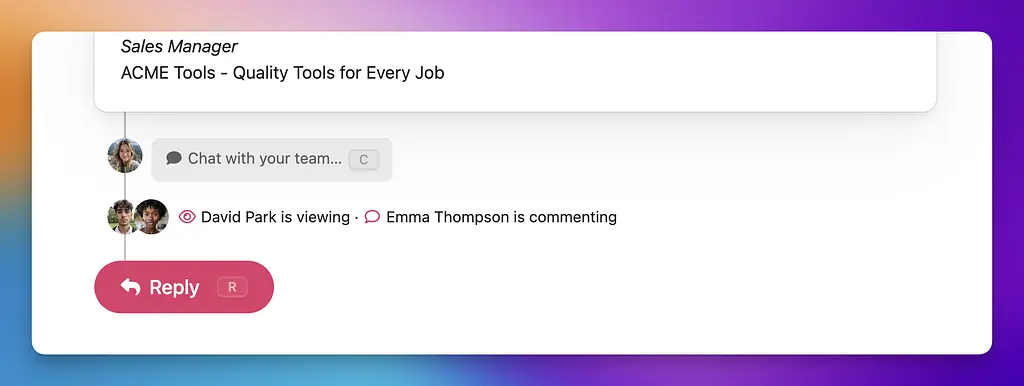
Jelly can now highlight this information within each conversation, and if you are composing a reply while someone else is at the same time, warn you:
All New Help Section
Jelly’s Help Center has been completely overhauled, with detailed documentation about how to get things set up and how to use basic and advanced features. Take a look!
New: Keyboard shortcuts
Frequently requested, finally available to everyone: navigate and manage your conversations from the keyboard. Hit “?“ to see what’s available. Here’s the list from the Inbox.
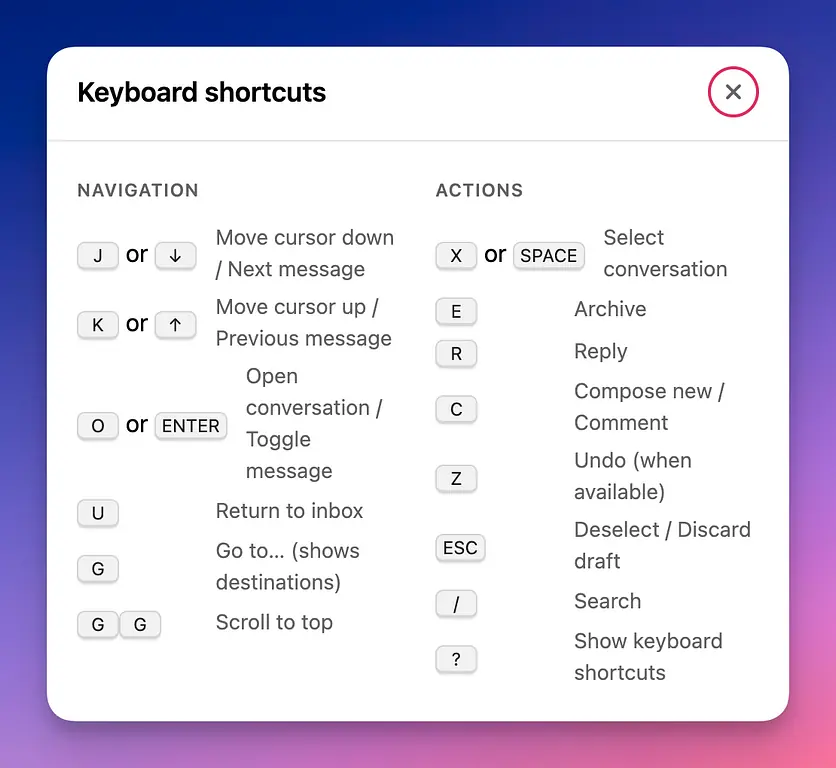
Keyboard shortcuts also work in conversation views; hit “R” to start replying, “C” to write a new comment, and more.
New: Autoresponder
Since lots of teams will be taking a break towards the end of December, now’s the perfect time to try our new Autoresponder feature. Any messages you receive while this is active will be automatically sent the response you store, until you disable the responder again.
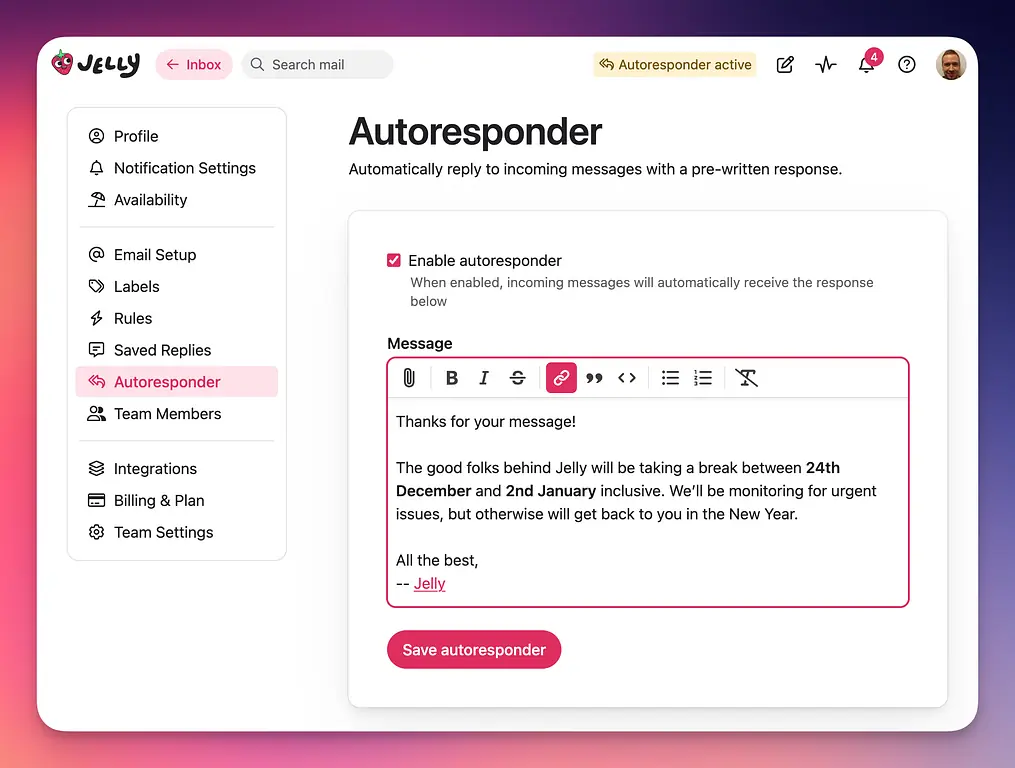
(Messages from members of your team won’t trigger a response, to keep your own inboxes clear, so if you’re testing this feature make sure to use a separate email address.)
New: Conversation splitting
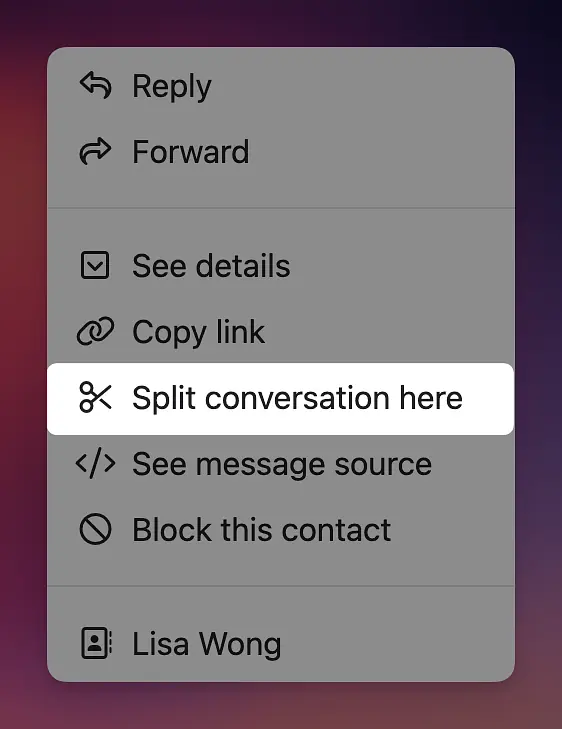
It’s very common for email conversations to start on one topic and end up diverging onto something else. That’s particularly true when people reply to an earlier message in order to start a new conversation; it’s often the easiest thing to do. However, this can result in conversations that are long, with increasingly-inaccurate subjects, making it harder than it needs to be to organise your inbox, or find the most relevant messages in your archive.
Jelly to the rescue: when you can see that someone has replied to an old conversation but really wants to start a new one, you can now split the conversation, taking the selected message (and anything sent or posted after it) and moving it to a brand new conversation.
You can even change the subject of the new conversation to make it easier to find later.
Jelly keeps an internal link from the new conversation back to the original one (and vice versa) so that you can still quickly jump between them. And, most importantly, it’s completely invisible to the non-Jelly participants of your conversations.
New: Availability
Conversations with your clients, customers and other contacts rarely respect the internal cadence of your team’s vacations or illnesses. Sometimes that urgent message arrives at the worst time!
Jelly’s core mission is to help your team stay on top of their email conversations, so we’ve just added a new feature to help make sure nothing falls through the cracks when you’re otherwise indisposed: availability.
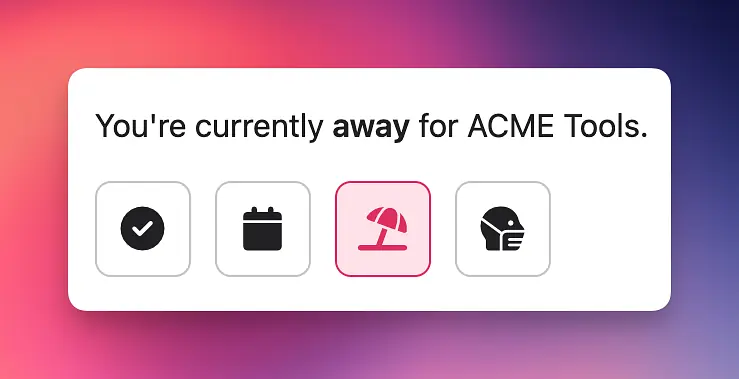
Set yourself as away (or on vacation, or ill) and any new replies in the conversations that you’re assigned to will automatically bump that conversation back up into the Brand New section of your team’s inbox, making it clear to everyone that there’s something which requires their attention.
New: Contact Autocomplete
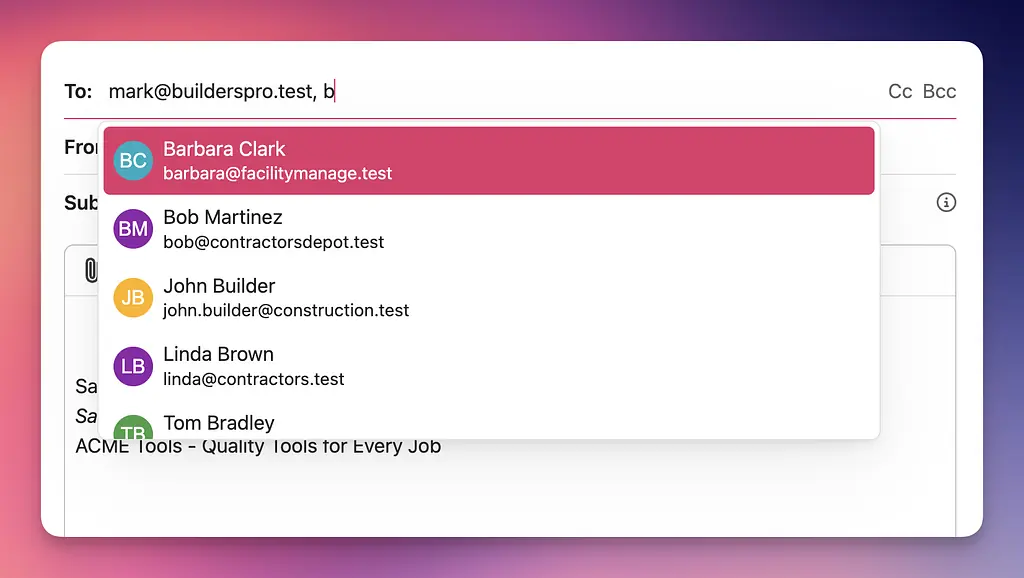
Jelly can now help you easily find the email addresses of people you’re regularly in contact with: just start typing!
New: Auto-Follow Conversations Based on Label
Following a conversation is how Jelly knows to notify you when that conversation has been updated. You can follow a conversation by clicking the bell icon, and Jelly also sets you to follow along automatically if you take part in the conversation (like writing a reply or leaving a comment).
In your Notification Settings, Jelly has always offered the ability to automatically follow every new conversation, for those that really need to be in the know. But if you didn’t want to see every email, you’d always have to follow manually, until today!
Now you and your teammates can automatically follow a conversation when a label is added. So if there’s people on your team that only care about conversations labeled “Support”, they can set their Notification Settings so they are always following those conversations.
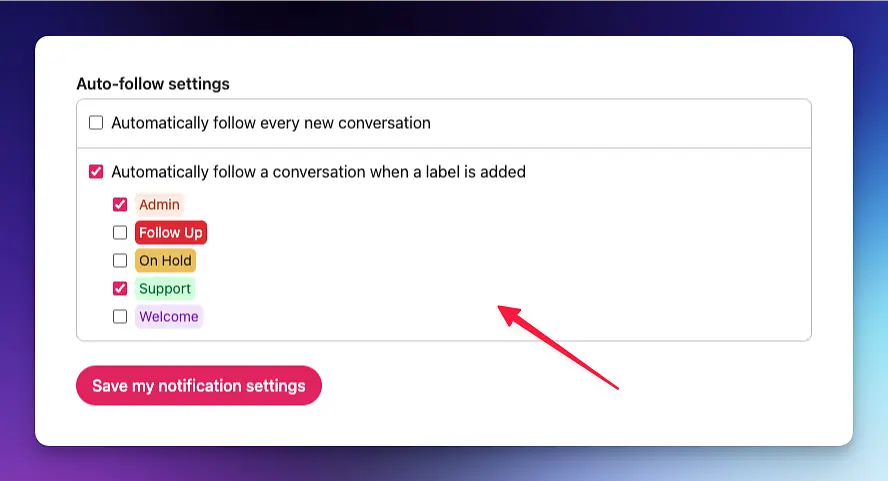
This personal setting works great in conjunction with our Rules. For example, you can have a rule that automatically labels every conversation that comes into your support@your-team.com address to be labeled “Support”, and then anyone following that label will be immediately subscribed and notified.
We hope this update gets you one step closer to automating your team and Inbox so the right people see the right emails.